Office Wi-Fi problems are not always wireless problems. Weak coverage, overloaded meeting rooms, undocumented cabling, limited switch capacity, or an unclear guest-network design can produce similar symptoms and require different corrections.
Security Install US / System64 provides commercial Wi-Fi and network installation in Miami for office properties. As an installation and service contractor, the company can survey the site, plan and install the physical network, label infrastructure, commission the system, and provide repair or upgrade support when included in the approved scope.
Define users, spaces, and network priorities
A practical design starts with the people, devices, applications, and property workflows the network must support. This keeps the project focused on usable coverage and dependable operation rather than equipment count alone.
Document employee work areas, conference rooms, reception, guest spaces, outdoor areas, point-of-sale devices, building systems, and any locations where service is unreliable today. Identify bandwidth-sensitive applications, expected device density, after-hours needs, and the staff responsible for approving changes.
- Business operations: workstations, phones, printers, collaboration systems, and approved mobile devices.
- Guest access: a controlled visitor experience designed to isolate guests from administrative resources.
- Property systems: network-connected controllers, intercoms, environmental systems, and other managed equipment.
- Security infrastructure: appropriately designed connectivity for IP cameras, recorders, and access-control components when those systems share network infrastructure.
- Service continuity: documented ownership, backup planning, remote-support policy, and an escalation path for outages.
Design the pathways and cabling first
The wireless layer depends on the wired network behind it. Cable routes, telecom-room locations, distance limits, building materials, service access, and future expansion should be considered before access-point locations are finalized.
Each cable should follow an appropriate pathway, receive protection where exposed, terminate cleanly, and be labeled at both ends. Open ceilings, finished spaces, fire-rated assemblies, and transitions between indoor and outdoor areas may require different routing and installation methods.

Place access points for real conditions
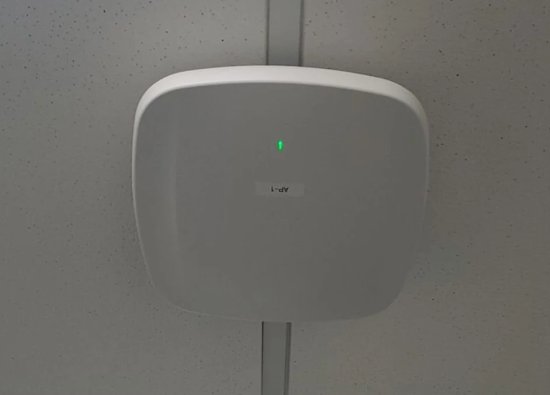
Access-point placement should reflect wall construction, ceiling height, furniture, equipment, neighboring networks, user density, and the areas where devices move. A symmetric floor plan does not guarantee symmetric radio conditions.
Predictive design can guide placement, but commissioning should verify the completed installation in the occupied environment. Mounting position, channel plan, transmit settings, client behavior, and interference all influence whether users experience stable roaming and consistent service.
- Avoid hiding access points behind metal, dense millwork, or other obstructions merely for appearance.
- Separate a coverage problem from an internet-service, cabling, switching, or client-device problem.
- Account for meeting rooms and other high-density spaces instead of averaging demand across the floor.
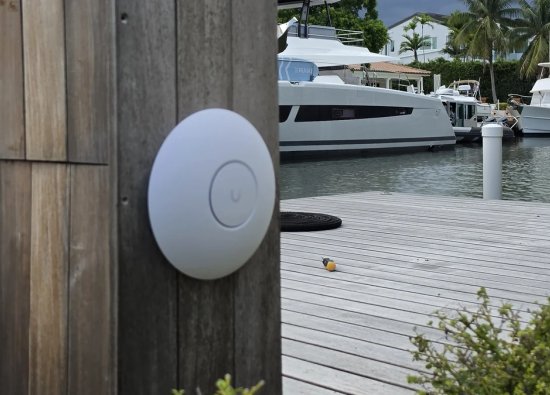
- Plan controlled outdoor or utility-area coverage only where the equipment and pathway suit the environment.
Build a serviceable network core
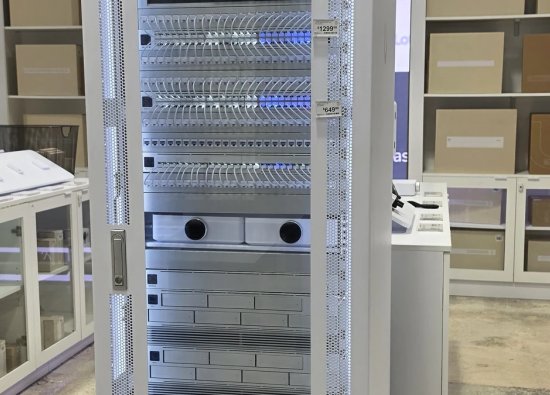
Patch panels, switches, routing, power, and cable management should be organized so a technician can identify connections without disrupting unrelated systems. Clear labeling and accessible rack layouts reduce troubleshooting time and make future changes safer.
Equipment selection should follow port count, power requirements, uplink capacity, management needs, environmental conditions, support status, and the approved network design. Brand names alone do not determine whether the complete installation is appropriate for the property.


Separate traffic and administration
Business, guest, building, and security devices may have different access requirements and risk profiles. The network design should define those boundaries, administrative roles, and permitted communication instead of placing every device on one unmanaged segment.
Use named administrator accounts, protected recovery information, controlled remote access, current documentation, and an approved change process. Segmentation and firewall policy should be designed for the property’s actual systems and tested so necessary services continue to function.
Commission, document, and maintain the system
Commissioning confirms that installed cabling, access points, switches, routing, power, and network policies perform as intended. The handoff should leave the owner with usable records rather than an undocumented collection of devices.
Testing can include cable results, port mapping, access-point status, coverage observations, roaming, guest access, internet failover when provided, connected-system communication, and recovery procedures. Maintenance should review alerts, capacity, software support, configuration backups, UPS condition, physical rack condition, and changes in how the space is used.
Frequently asked questions
These answers cover common planning and service questions for commercial Wi-Fi and network installation in Miami.
How many wireless access points does an office need?
The number depends on floor plan, building materials, user density, applications, interference, mounting options, and coverage goals. A site survey and design are more reliable than choosing an access-point count from square footage alone.
Can new Wi-Fi use existing network cabling?
Possibly. Existing cable should be identified, inspected, and tested for the required link and power needs. Labeling, termination quality, pathway condition, and the connected switch also affect whether a run should be reused.
Should guest Wi-Fi be separate from the business network?
Guest access should normally follow a controlled design that limits access to administrative and business resources. The exact segmentation, authentication, and policy depend on the property and its operating requirements.
Can cameras and access control share the office network?
They can use coordinated infrastructure when capacity, power, security boundaries, ownership, and service responsibilities are designed appropriately. Critical security operation should not depend on an undocumented or unmanaged office network.
What should be included in the network handoff?
A useful handoff can include device and port labels, installed locations, cable records, approved administrator ownership, configuration backups, warranty information, test results, and a service escalation path.
Plan the cabling, Wi-Fi, switching, and service path together
Security Install US / System64 can survey, install, organize, commission, repair, and upgrade a commercial network for a Miami-area office or managed property.

We design and install cameras, access control, intercoms, and gates for homes and businesses in Miami-Dade. This article comes from the same site surveys we run on driveways, restaurants, and offices — not from a generic kit list.
About the team